Capacity Analytics: Stop Guessing Who Can Take the Work
There's a moment every firm owner knows.
A new client just signed. The scope is clear, the start date is soon, and now you need to figure out who on your team can actually take it on.
So you do what most firms do. You go off memory. You send a message. You check a spreadsheet that's probably three weeks out of date. You make your best guess and hope for the best.
It works. Until it doesn't.
That's why we built Capacity Analytics; giving firm owners a real-time view of team availability, unassigned work, and individual workloads, all in one place.
The full picture, right when you need it
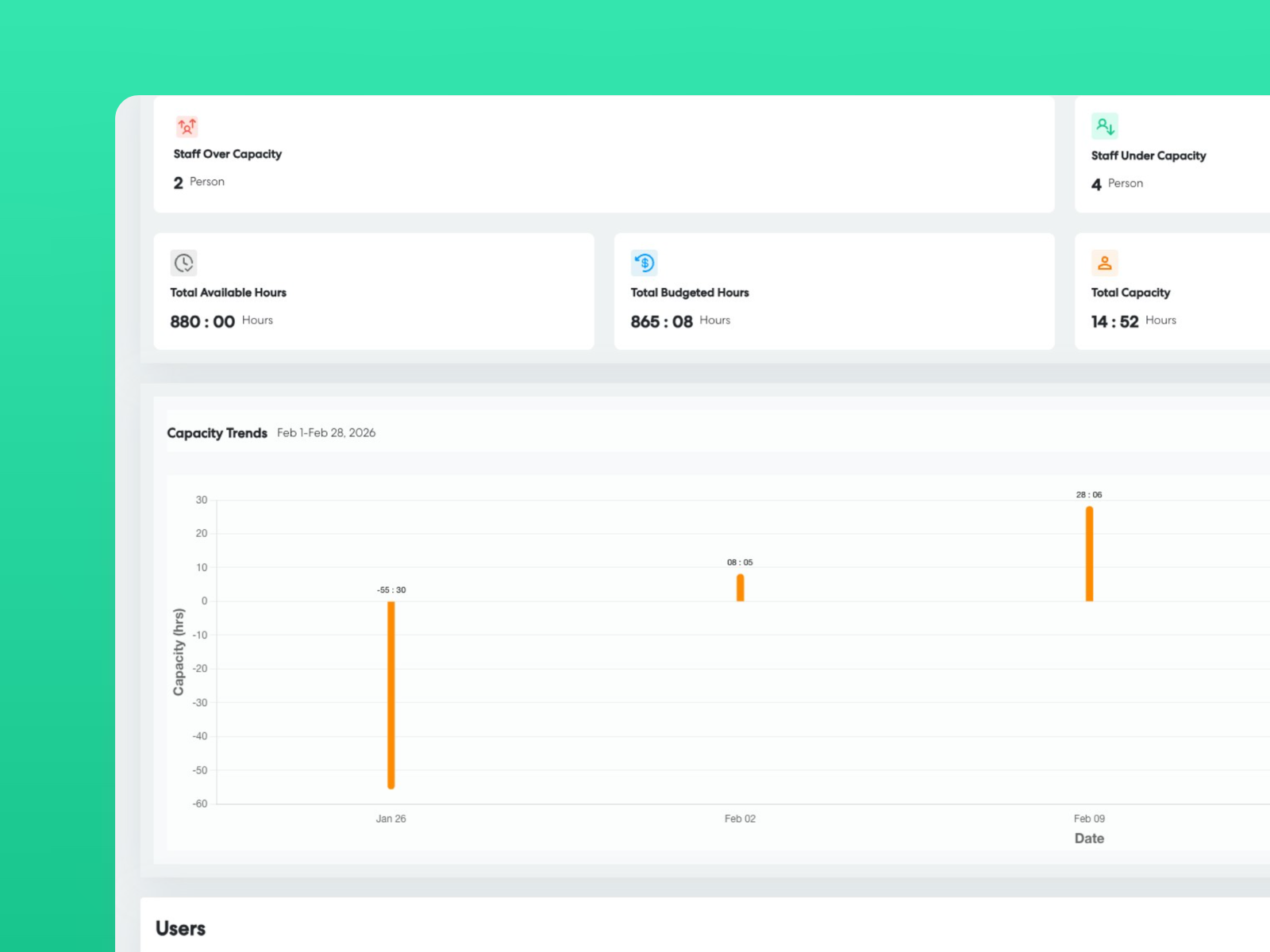
Open Capacity Analytics and the first thing you see is your firm-wide snapshot:
- Available hours across your whole team
- Total capacity for the date range you set
- Who's over capacity right now
- Unassigned work hours — tasks that exist in Levvy but haven't been assigned to anyone
That last one is the number we always point to first.
It happens at every firm. Someone goes on leave. Someone moves on. The work gets forgotten, quietly sitting there until a deadline is looming and a client is waiting. Seeing it upfront means you never commit to something new on top of a gap you didn't know was there.
Four filters. The right person in seconds.
This is where Capacity Analytics earns its keep.
Instead of pinging your whole team or going off gut feel, four filters do the work for you:
- Capacity range — set the hours the engagement needs, and only see people who have room for it
- Role and seniority — narrow to the right level for the work
- Completed workflows — pulls in everyone who has actually handled that type of work before, based on real data going back to the day your firm signed up
- Group or service line — narrow to the team that's already across that portfolio of clients
Watch the list shrink. You're no longer looking at your whole team. You're looking at exactly the right people, filtered by experience, seniority, and availability all at once.
Which week, not just which month
Knowing someone has capacity this month is not the same as knowing when they can start.
If you can only say "sometime next month," you're not really giving your new client an answer. You're buying time.
The Capacity Trend graph shows a week-by-week breakdown for any user. If someone is slammed the first two weeks but opens up in week three, you see that. Switch to daily view and you can give a client an actual start date, not a window.
That's the difference between "we'll kick off next month" and "we'll start on the 17th."
See what's already on their plate
Before you assign anyone, you want the full picture.
Each user has a breakdown showing every client and workflow currently taking up their time, alongside their role in every group they belong to. It's useful in two situations:
- Staffing a new engagement — confirm the person you're assigning actually has room and the right experience before you commit
- Redistributing work — when someone is overstretched, find who has the matching seniority and experience to absorb it
This is also how you catch burnout before it happens. Growing firms have a habit of piling work onto their best people. It creeps up gradually, then hits all at once. Capacity Analytics lets you see the problem before it becomes a crisis.
From signed to staffed in minutes
The whole flow looks like this:
- New engagement comes in
- Open Capacity Analytics and check unassigned hours
- Set your four filters
- Check week-by-week availability for the right candidates
- Review what's already on their plate
- Assign with confidence
No spreadsheets. No cross-referencing multiple tools. No waiting on replies.
Just a clear, data-backed answer to the two questions that used to take the most time: who can take this work, and when can they actually start?
Capacity Analytics is available in Levvy now.
Book a demo.
.png)
.png)
.png)
.png)