
Accounting practice management software
Make your firm more profitable
Levvy is the practice management software for accounting firms that helps you give clients a smoother experience, free up hours for CAS, and see which clients and services actually make you money.
No credit card required.










Practice management software for accounting firms
Which of these sounds like your firm?
If you've said one of these lately, you'll get the most out of Levvy.
What Levvy solves for your firm
Three places where firm profit gets lost
Most owners feel these problems long before they can measure them. Levvy puts a number on each one, so you can see what to fix first.
The team looks full, so you hire
Rush requests and extra meetings rarely make it into the plan. Levvy tracks time inside each task and shows who has open hours, day by day.
Answers live in one person's head
Logins, close steps, and client notes sit in inboxes and Slack, so every handoff slows down. Levvy keeps them inside each task, where anyone on the team can find them.
Some clients cost more than they pay
The work grows while the fee stays the same. Levvy shows profit by client and workflow, so you can adjust prices and services accordingly.
Capacity management
Know your team's actual capacity in real time
Levvy tracks time inside each task and compares it with the budget, including ad hoc requests and meetings.
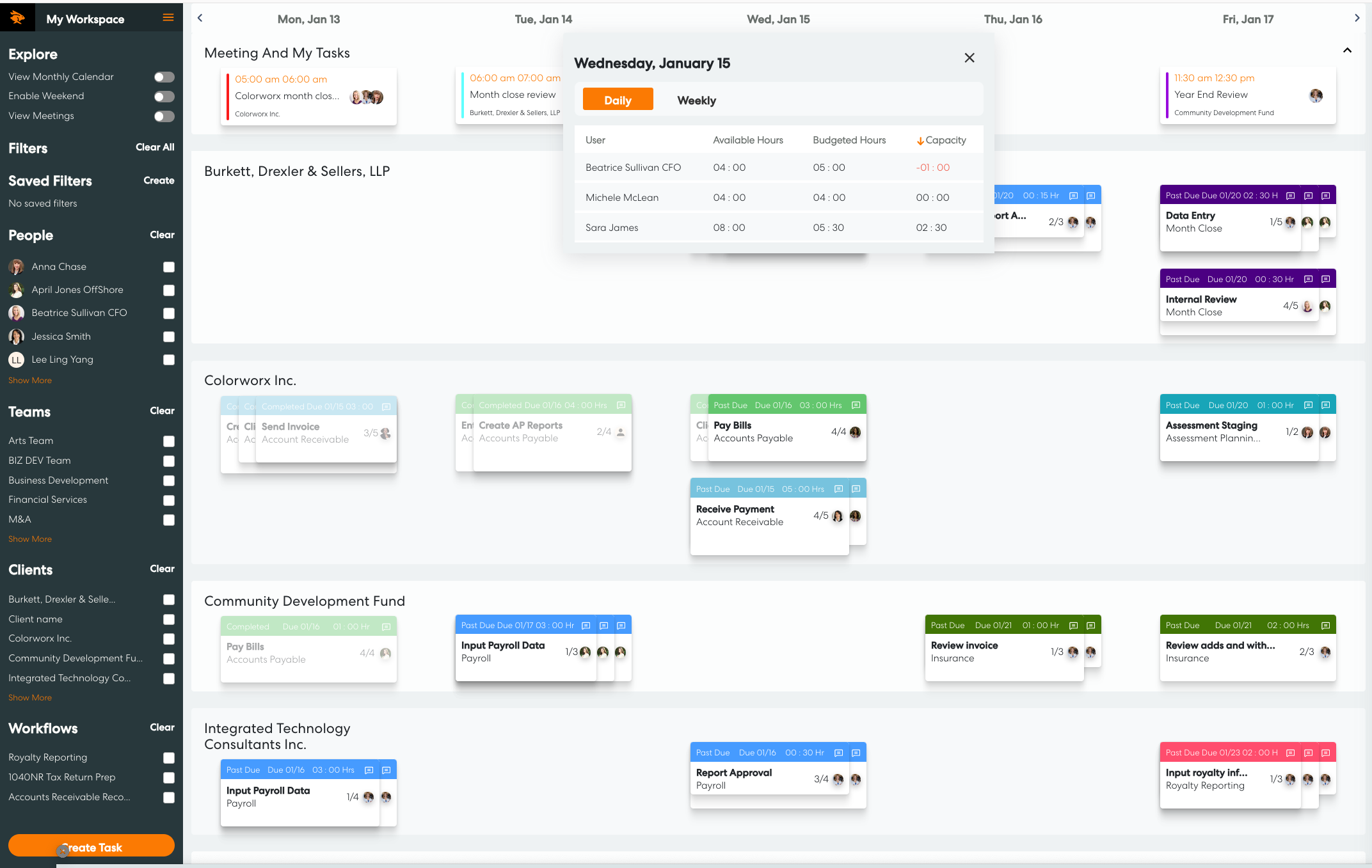

"The aha for me was the capacity and budgeting tracking. Being able to see cost per hour by employee, cost per hour by customer, see at a glance who was at capacity."
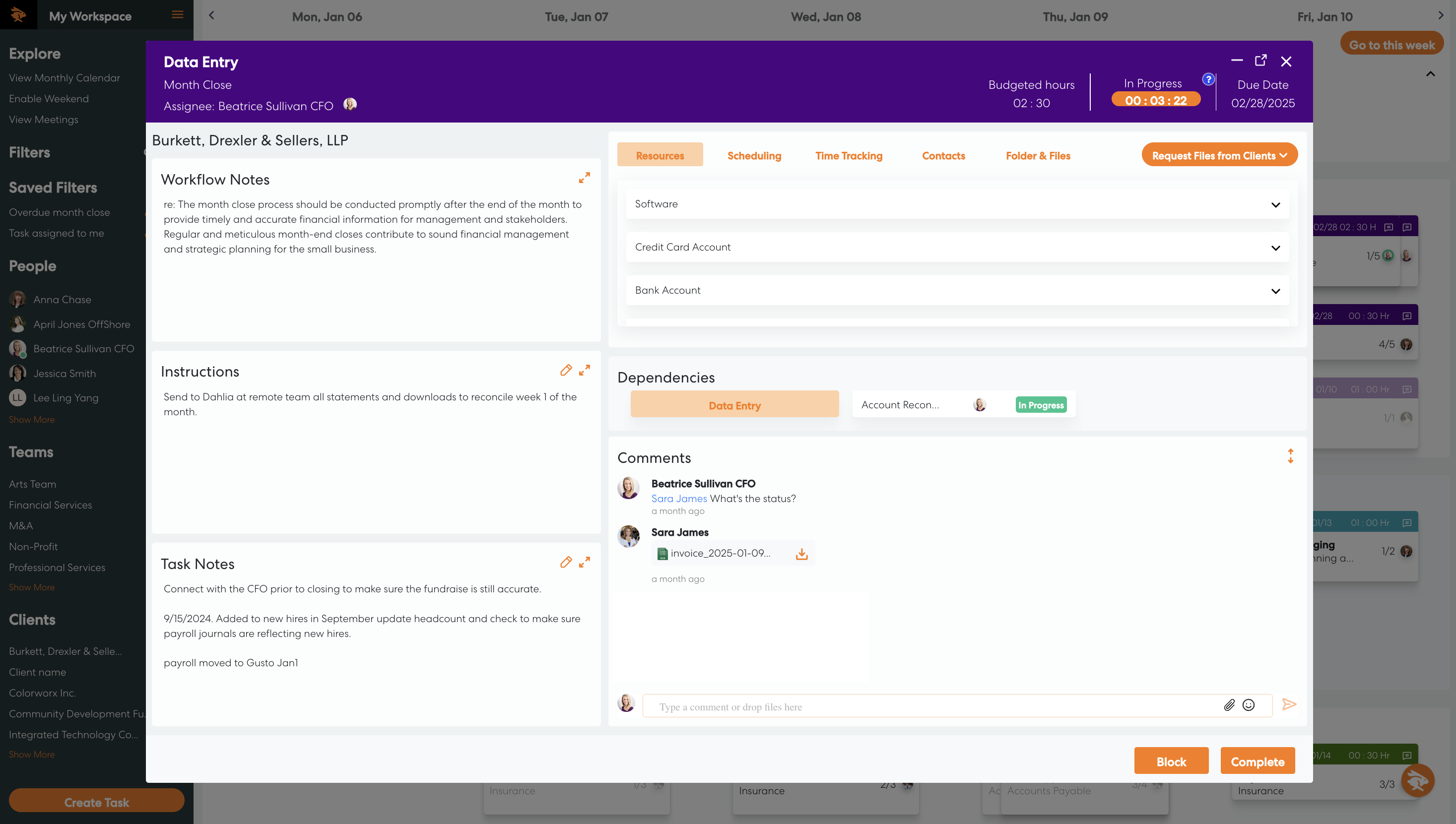
Client management
Every client detail, right where the work happens
Practice Intelligence is everything your firm knows about each client and it's kept where your team can use it. When someone opens a client's month-end close, the portal login, the close steps, and last month's notes are already in the task.
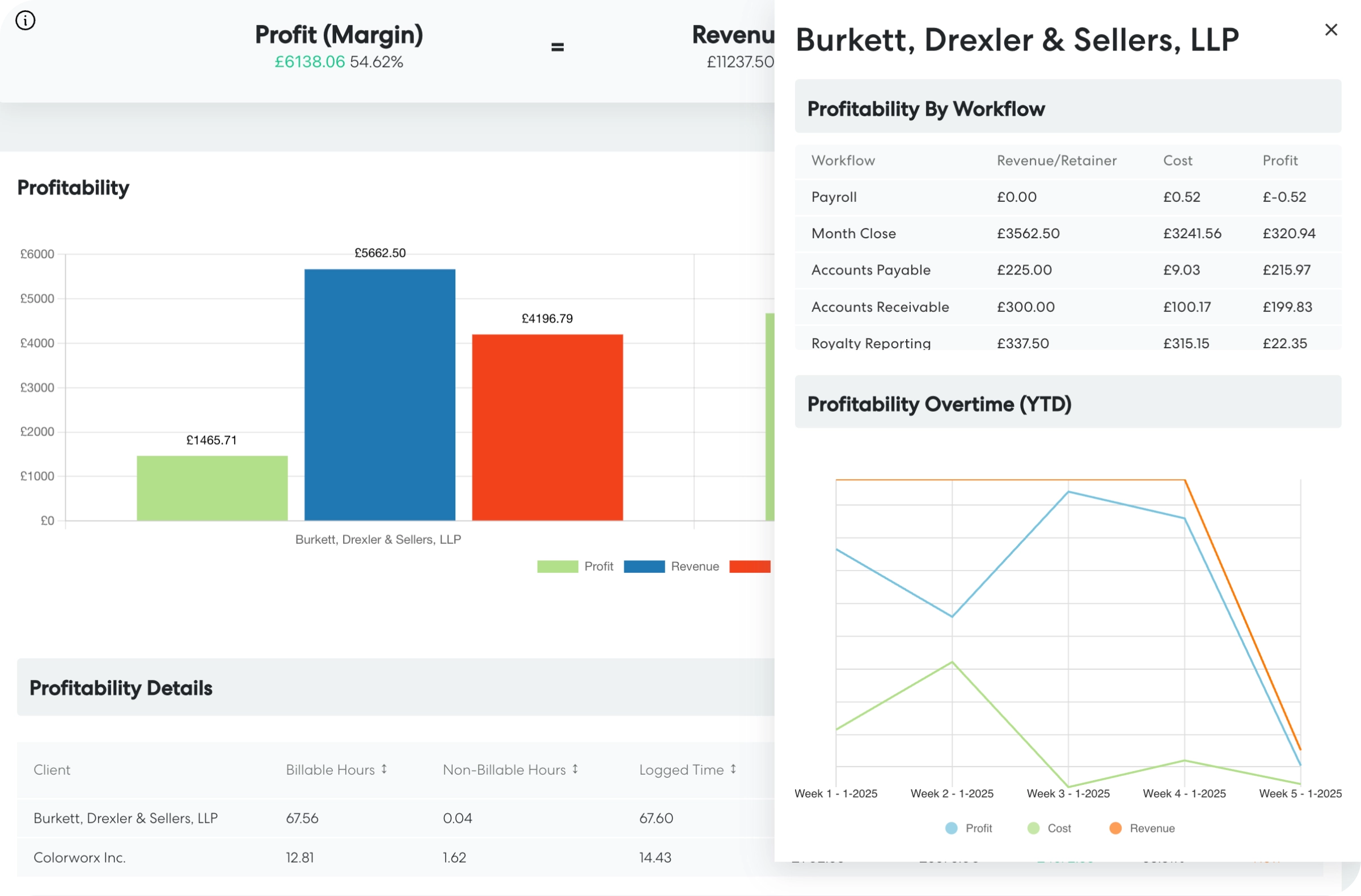
Client profitability reporting
Know your margin on every client
Levvy puts each client's fee next to the time your team spends on their work. Check your margin at any point in the month, then fix pricing or staffing before the next one starts.
Accounting advisory services (CAS) calculator
Turn open hours into advisory revenue
Once you can see open hours, you can sell them as advisory work or use them for the next engagement. And when the team really is full, you now hire with the numbers to back it up.
How much advisory revenue could your firm add?
Move the sliders to match your firm. Defaults come from national accounting firm benchmarks.
Firms bill about 60% of staff time on average, which leaves roughly 16 non-billable hours per person each week. Three hours is a conservative slice of that.
$170 is the average net billing rate across US firms. Advisory work usually prices higher.
This estimate is built from industry averages. Your results depend on your clients, pricing, and team, and Levvy shows your actual capacity and profitability once your work is in it.
Calculator sources. Billable utilization (60% firm-wide) and average net billing rate ($170/hr): AICPA and CPA.com, 2025 National MAP Survey. Benefits as 30% of total compensation (43% on top of wages): U.S. Bureau of Labor Statistics, Employer Costs for Employee Compensation, June 2026. Staff accountant salary: Robert Half 2026 Salary Guide and BLS. Recruiting cost per hire ($4,700): SHRM. Billable hours per hire: 2025 National MAP Survey and Rosenberg Survey. All figures are estimates.
How Levvy practice management software works
A manager's week in Levvy, from planning to delivery
Here's a week of client work from the manager's seat. Click each step to see it in Levvy.
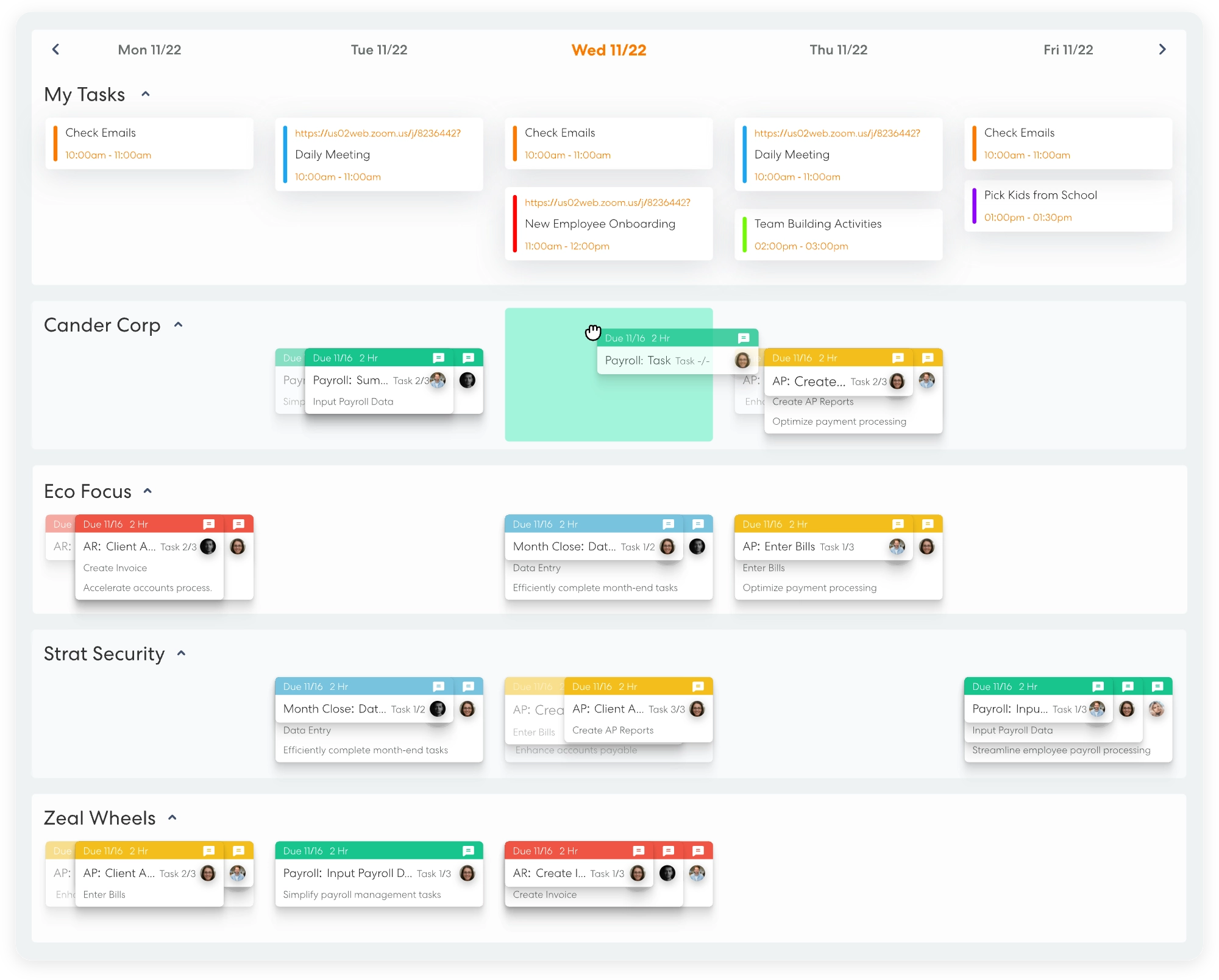
Plan the week
Start Monday with all the work in one place. Recurring client work, meetings, and emails turned into tasks land on the workspace in client lanes, so you can drag each task to the right day and the right person.
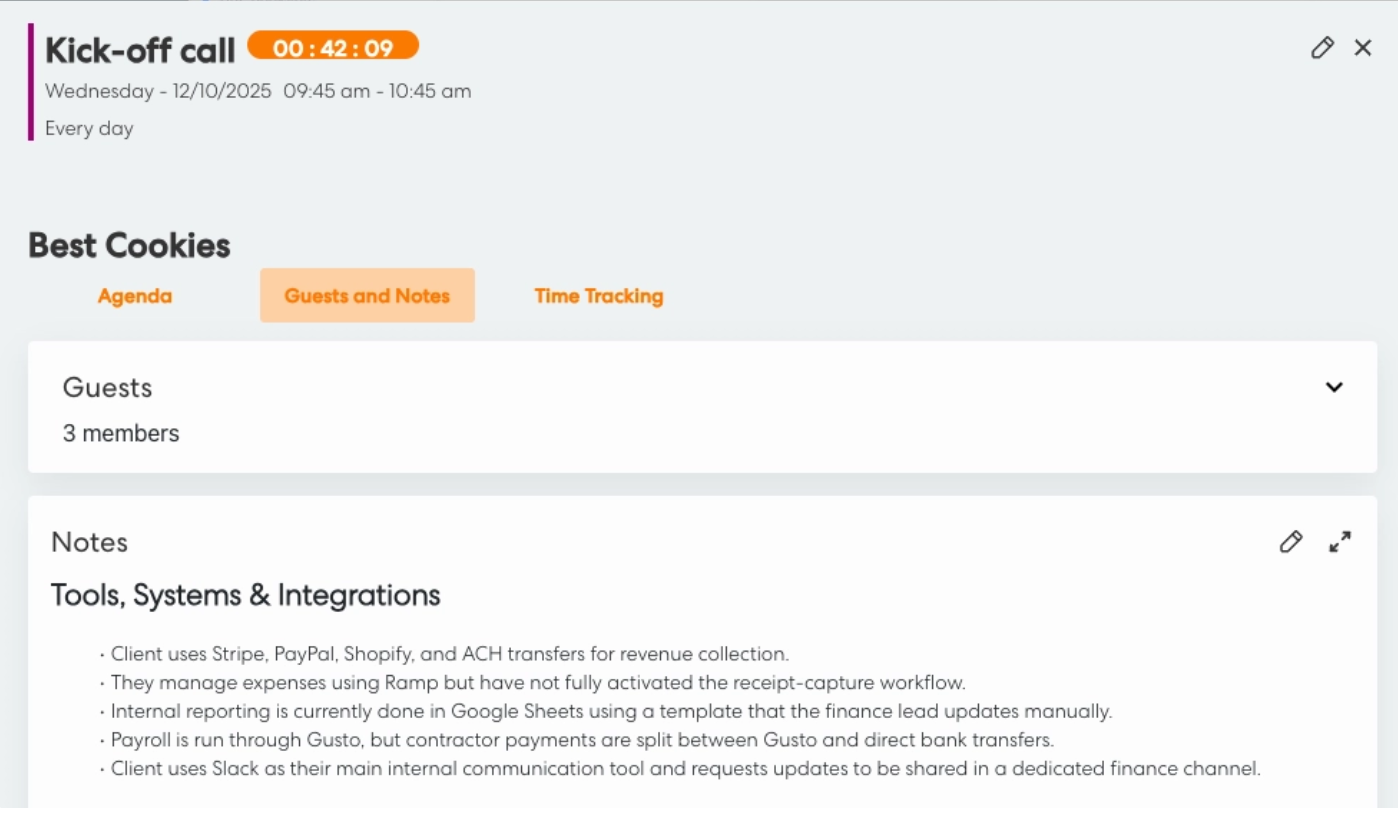
Run client calls
Open the client profile before the call and go in with the client's notes, engagement details, and recent work in front of you. When the call ends, the Levvy Notetaker drafts the follow-up tasks and adds the notes to the client profile. You review the drafts, assign them, and they join the week.
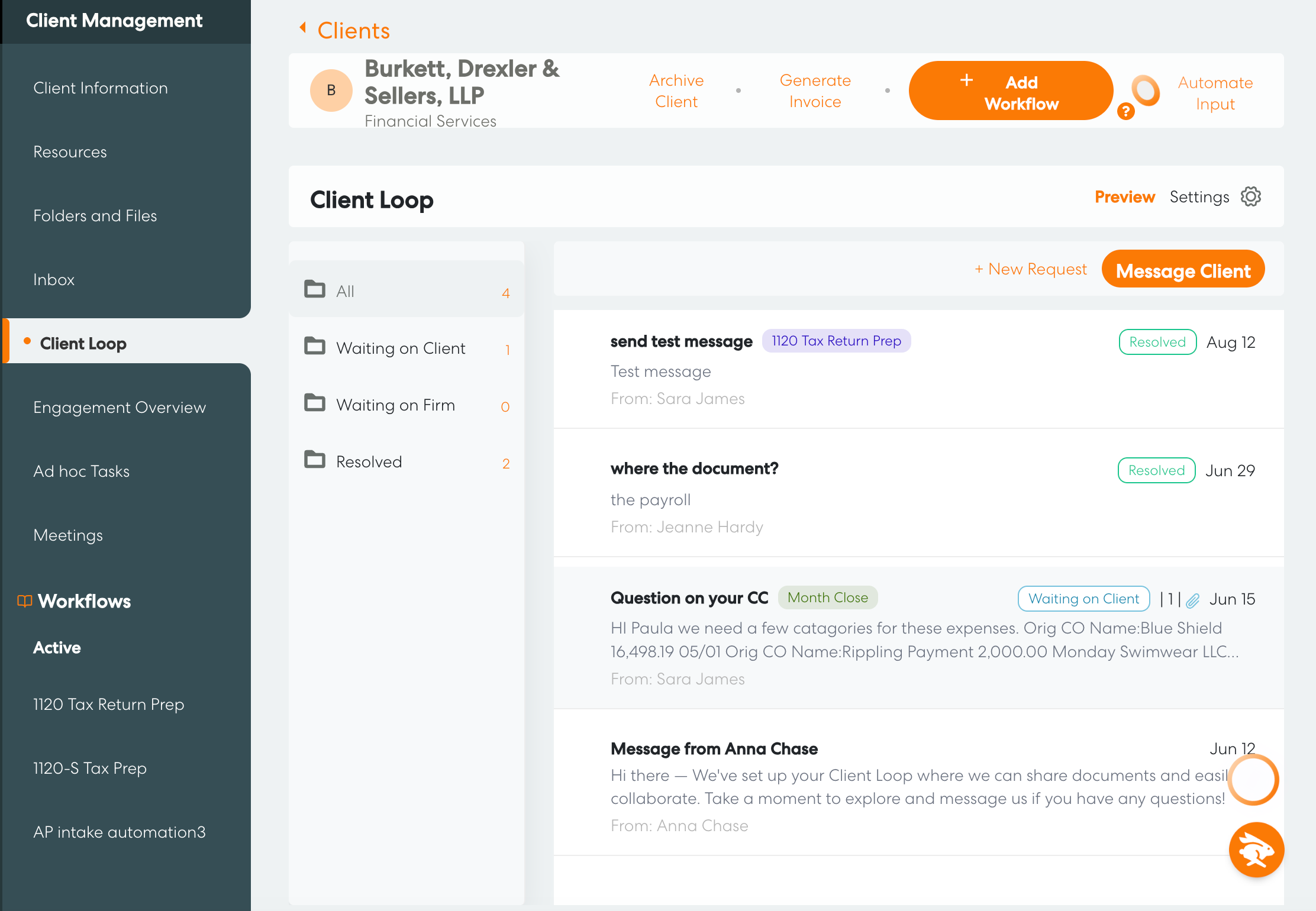
Work in Client Loop
Client Loop is your clients' own space in Levvy. Document requests go out on each workflow's schedule, with reminders until the files arrive, and clients can upload files, scan a receipt, or download finished work from their phone. When a client replies, the chat moves to Waiting on Firm, so your team knows what to answer next.
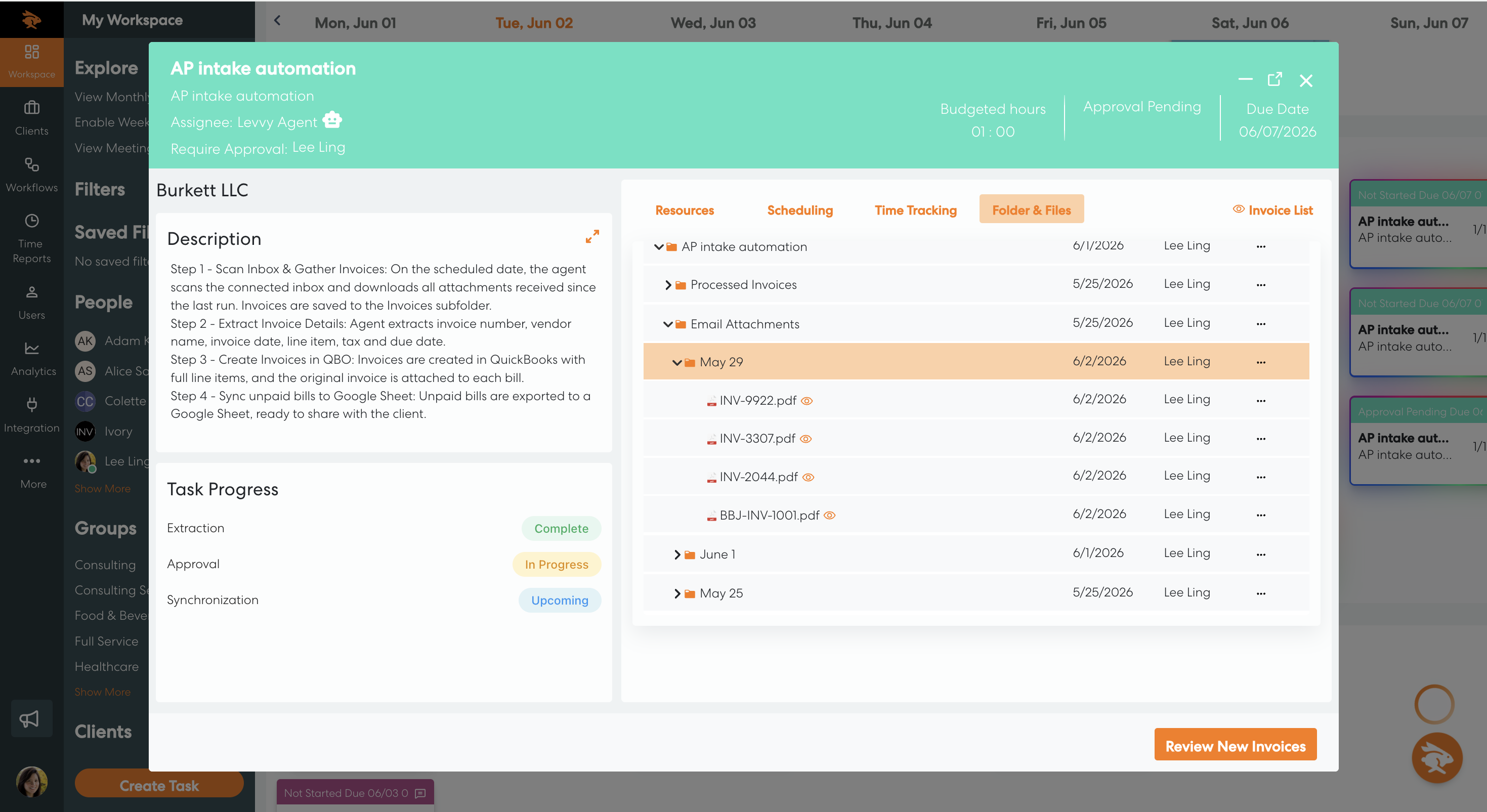
Store documents automatically
Levvy creates a folder for every workflow. Files attached to tasks, uploads from clients, and invoices from the AP Agent land in the right folder on their own, and role-based permissions control who can open each one.
.png)
Review and deliver
Before the week closes, review what’s ready to go to your clients. For CAS clients, that includes their bills. The AP Agent reads invoices from each client’s inbox, pulls the vendor, amounts, and due date, and creates the bill in QuickBooks Online. You can check the details, approve them, and send everything out on time without having to type invoices by hand.
All week, time is tracked in the background inside every task, so no one fills in a timesheet. Time tracking software for accountants →
Levvy AI for accounting firms
Meet Levvy AI,
Your Firm’s Smart Partner
Levvy AI works inside the platform with your firm's own data. Build client work faster, find details without digging through screens, and spot patterns that standard reports miss.
AI Smart Assist
Ask for a client profile or a workflow, and Smart Assist builds it from what your firm already knows.
AI Explore
Ask a question about client work, team performance, or project progress, and get the answer on the spot.
AI Insights
See patterns that standard reports may not show you, so you can rebalance work and protect your margins.


Connects with the tools your firm uses, now including your AI assistant


Ask your AI assistant to work in Levvy
The Levvy MCP server connects Levvy to AI assistants like Claude, so you can build workflows and add client tasks by asking.
"Turn this onboarding checklist into a Levvy workflow."
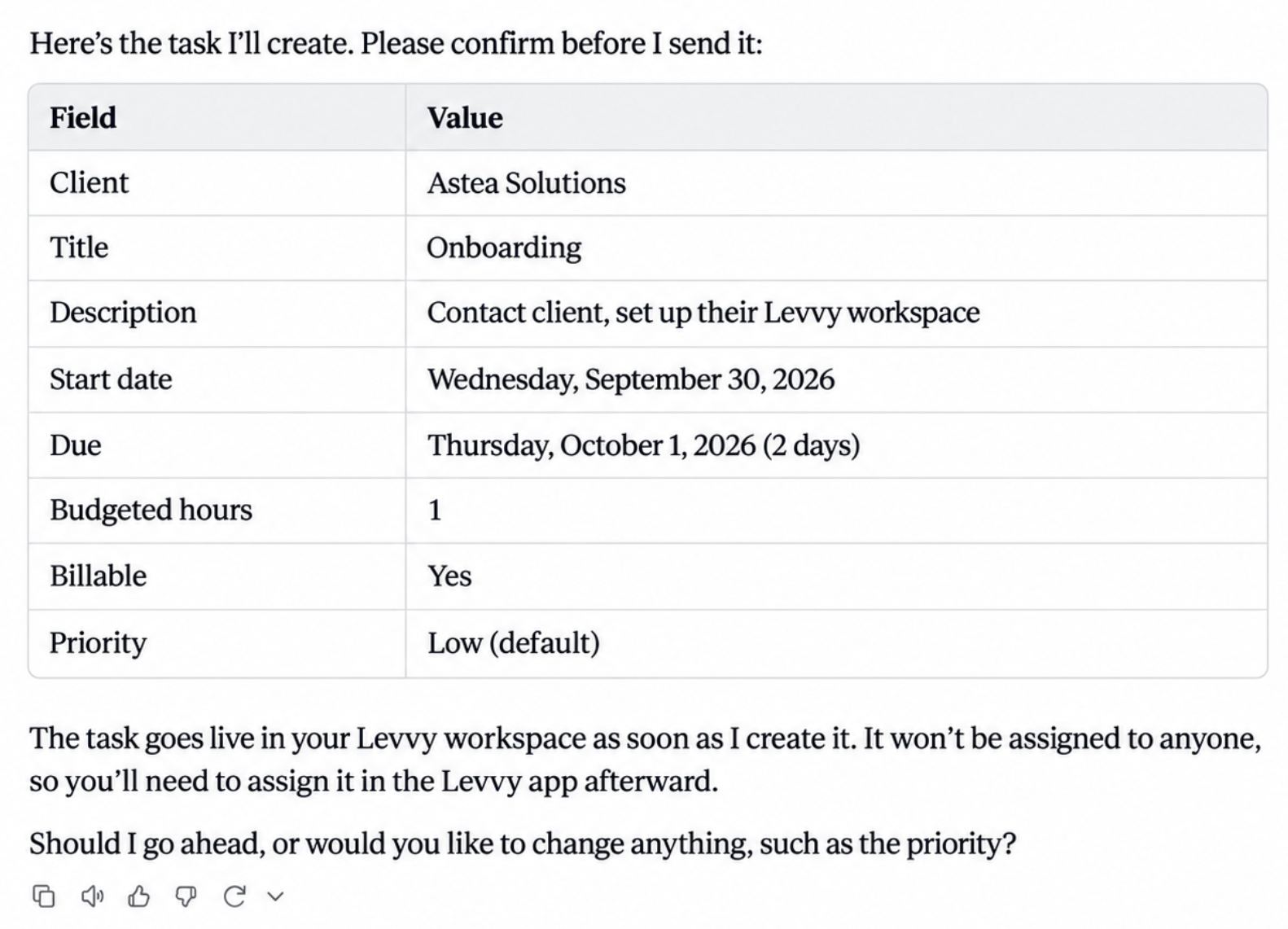
"Looks good! Go ahead."
Take a look inside Levvy
See how Levvy practice management software lays out your team's week by client and tracks time against each budget, so you can spot the hours you could put toward paid advisory work.
Accounting practice management software with GREAT Support
Best-in-class support
G2 users have named Levvy Best Support and High Performer in Accounting Practice Management every quarter since Fall 2025.
Read the reviews on G2

16 badges awarded by G2 from verified reviews: Best Support, Best Support for Small Business, High Performer, and High Performer for Small Business, Fall 2025 through Summer 2026.
Before you switch
Common questions from accounting and CAS firms
It is where a firm plans and tracks its client work: recurring workflows, deadlines, time, and the documents and details each job needs. Levvy adds the numbers behind that work, with capacity by person and profit by client, so owners can make pricing and staffing decisions from real data.
CAS stands for client advisory services: the planning, advisory, and outsourced finance work a firm sells beyond compliance. Firms need open hours to deliver it, and Levvy shows where those hours are on your team.
Most firms are up and running in about three working sessions. Our team helps you bring your clients and workflows over, and you can start from Levvy's prebuilt workflow library.
Yes. Levvy connects with QuickBooks Online, Xero, Gmail, and Outlook, and Slack and Zapier are available on the Whole Firm plan.
Yes. The Levvy MCP server connects Levvy to AI assistants like Claude. From the assistant, you can look up clients and workflows, copy templates from the Prebuilt Library, build a new workflow from a description or checklist, and add one-off tasks for a client.
Plans start at $59 per user per month billed annually, or $79 per user per month on a month-to-month plan. Every plan starts with a 14-day free trial, and you don't need a credit card to begin.
Yes. Month-to-month plans can be canceled anytime, and you can export your data whenever you want.
Levvy is SOC 2 compliant. Role-based permissions control who can see each file and saved login.
Book a demo
See what Levvy can do for your firm's profitability
Pick a time that works for you. A Levvy specialist will walk you through the platform using examples from firms like yours and answer your questions.
- See the features that other firms rave about
- Get a plan for moving your workflows into Levvy
- Ask about pricing, integrations and Levvy AI
Our booking calendar is provided by HubSpot.
It loads after you allow marketing cookies. You can also book on HubSpot's site directly.